Parallel File System
Overview
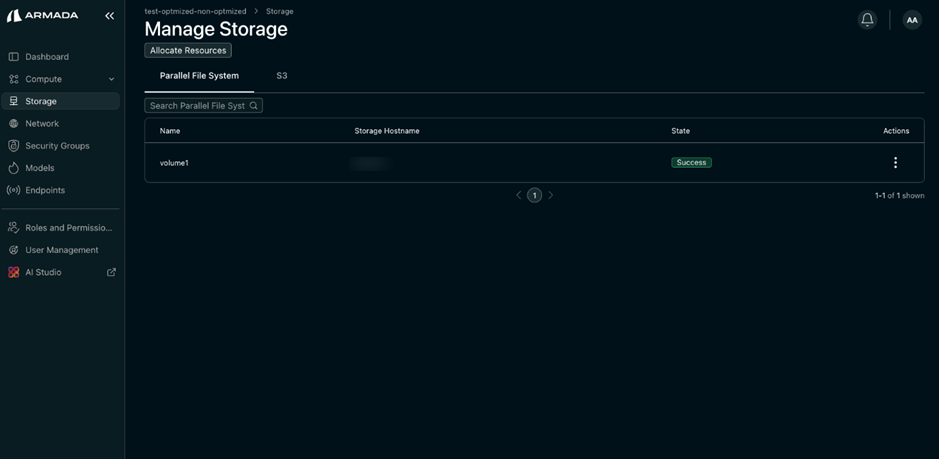
Parallel File System storage allows you to allocate high-performance storage volumes from imported storage nodes to your tenant. After allocation, the storage appears under the Parallel File System tab and can take a few minutes to reach the Success state.
Prerequisites
- Tenant Admin access
- NFS server set up by admin
- A tenant
Allocate Storage
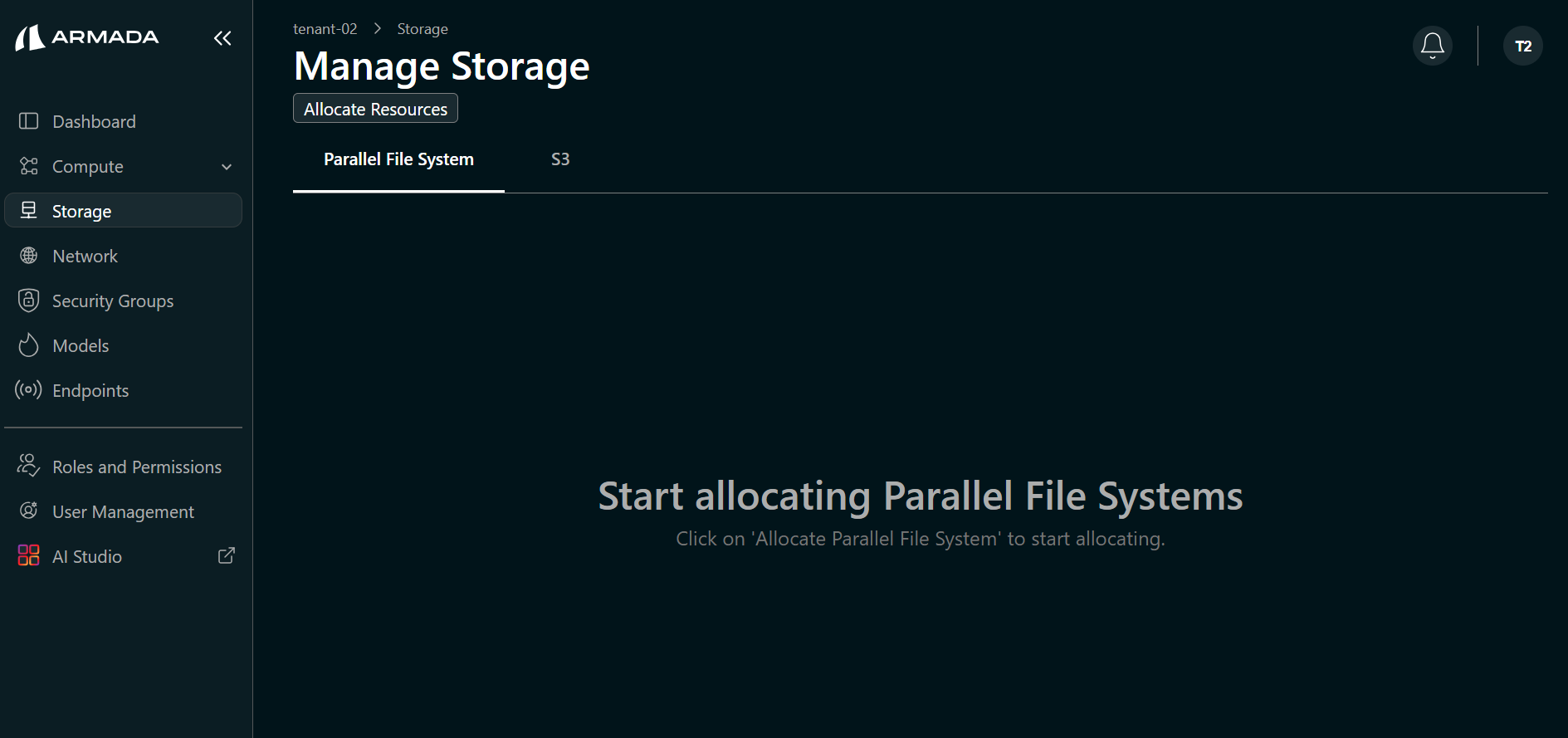
Step 1: Open Allocate Resources
- Navigate to the Storage tab and click Allocate Resources.
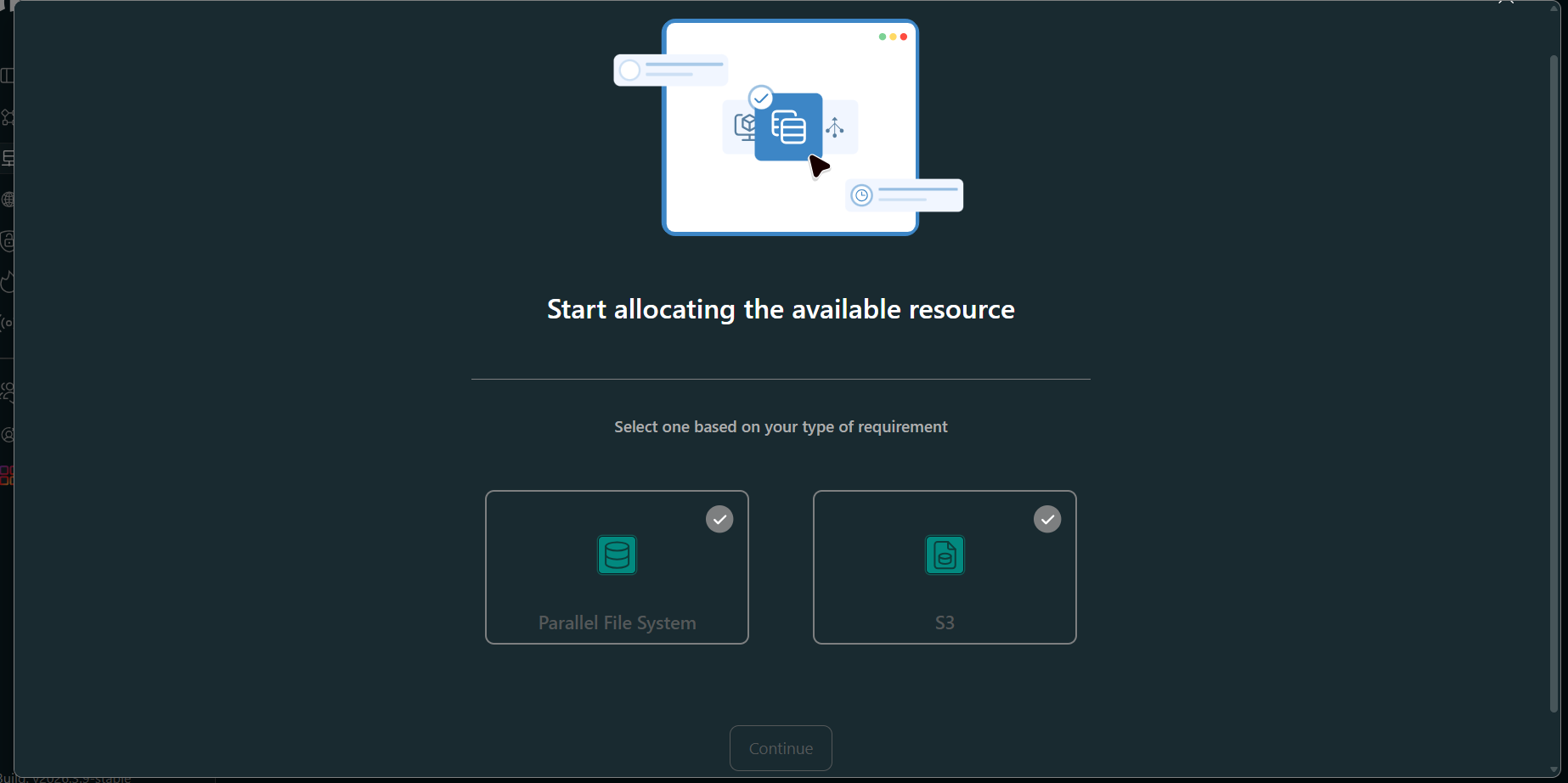
Step 2: Select Parallel File System
- Select the Parallel File System option and click Continue.
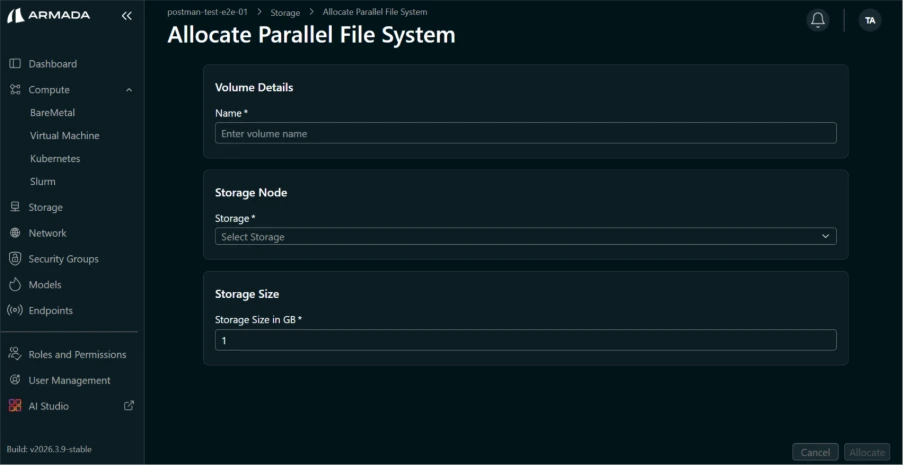
Step 3: Configure and Allocate
- Enter the Name, select the Storage Node, enter the Storage Size (in GB), and click Allocate.
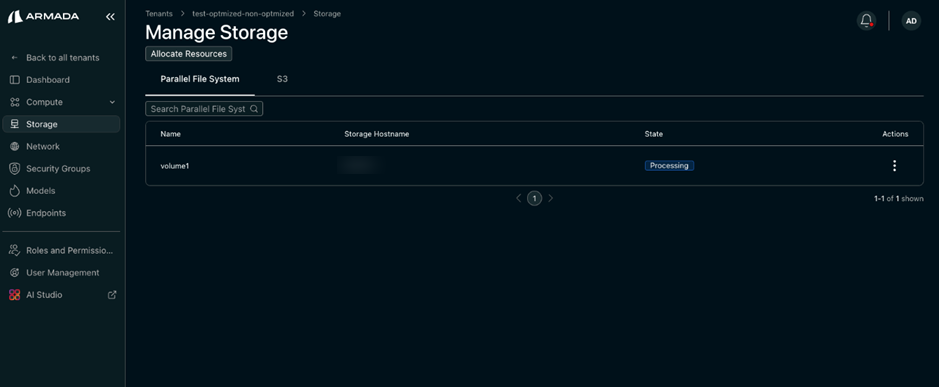
Step 4: Verify Allocation
- View the created storage entry under the Parallel File System tab.
- Wait for the allocated storage node to reach the Success state (may take a few minutes).
Next Steps
- Storage Classes — Create a storage class using the allocated Parallel File System.